 flowmance
Mavon Design System
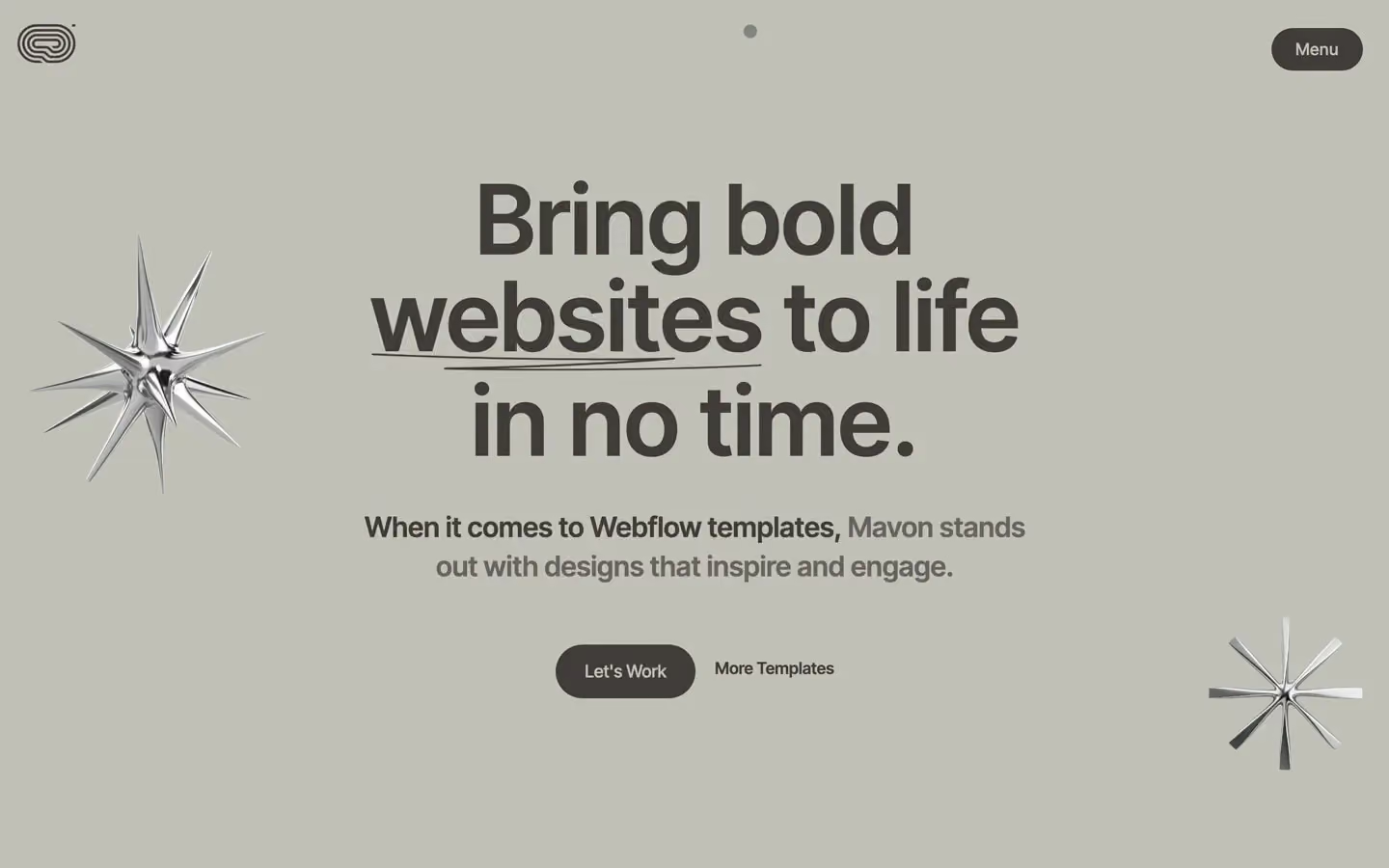
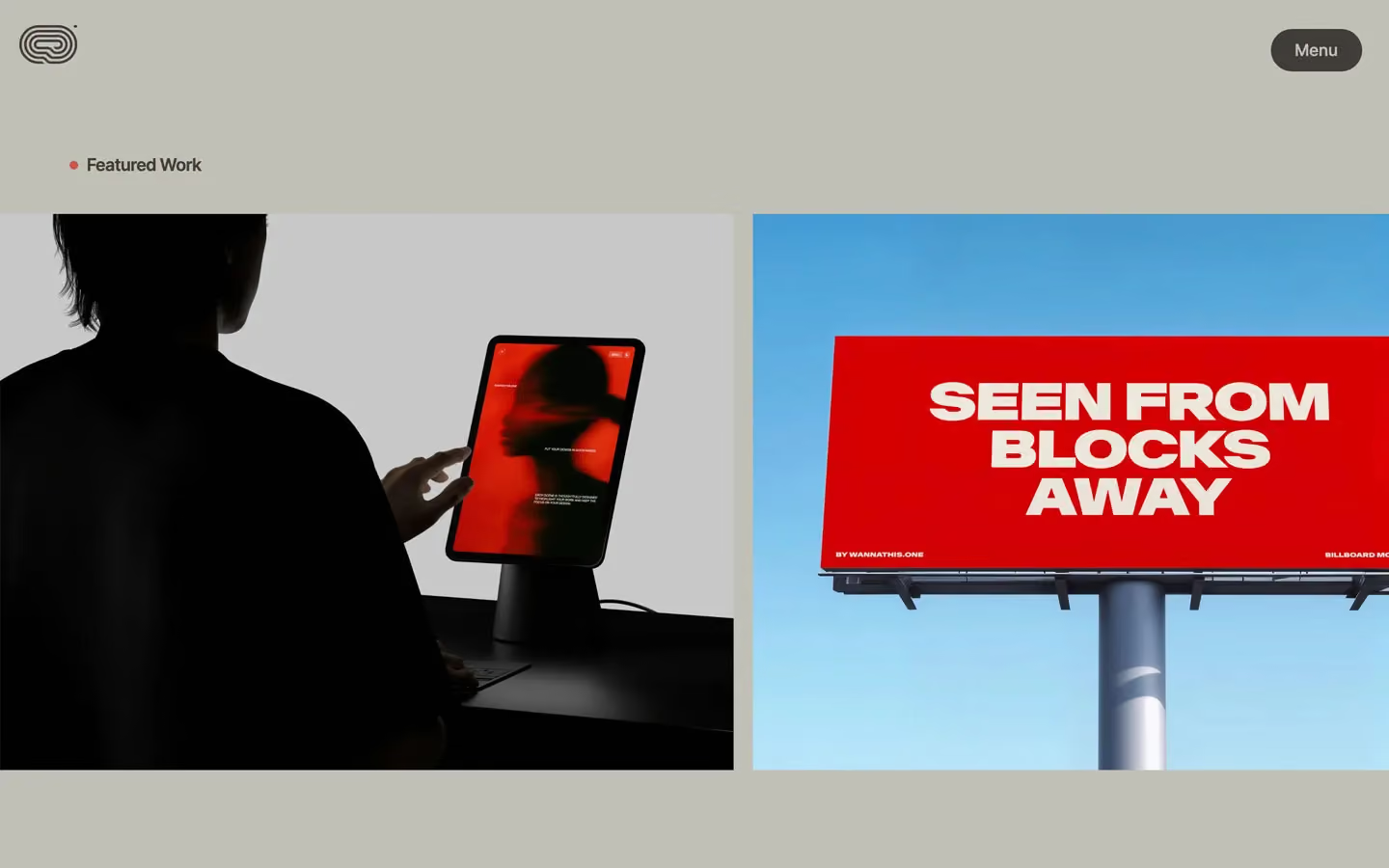
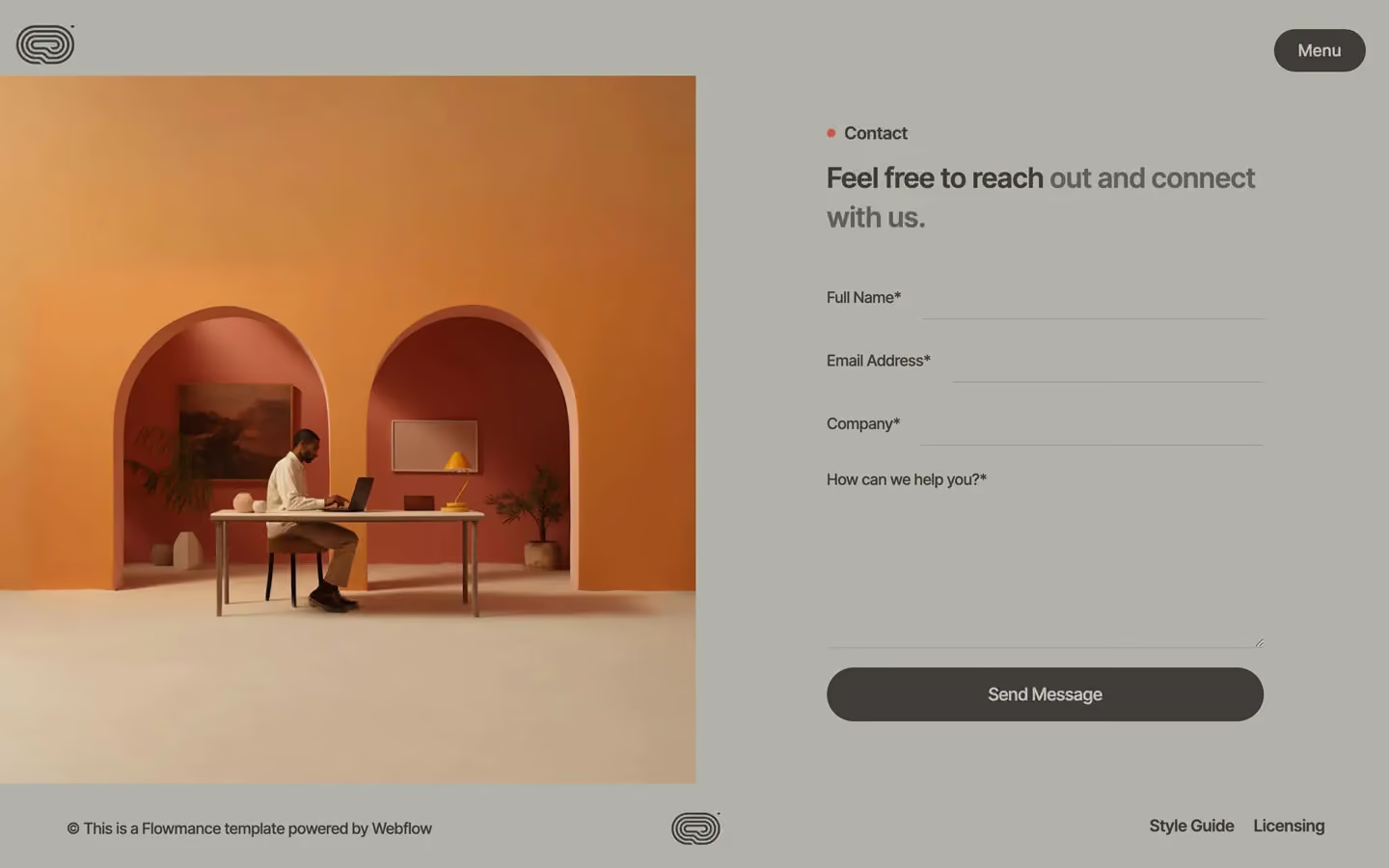
Mavon is a quiet, warm-grey studio site. The whole page sits on one putty grey (#C1C0B7) with charcoal (#3F3B38) text, and it feels like a printed brochure on uncoated stock: big semibold Inter Tight, very few elements, and lots of empty grey. Colour arrives only through the project images (a red billboard, a red laptop screen) and through floating chrome 3D starbursts in the hero.
Four signatures make it recognisable:
- One charcoal pill. The only button is a dark #3F3B38 pill (30px radius) with putty-grey text: Let's Work, About Us, Send Message, and the fixed Menu pill top-right. On hover it turns white with charcoal text.
- Words that reveal as you scroll. Lead paragraphs are 29px semibold, split into words, and each word goes from faint to full charcoal as it scrolls through the viewport, so a half-read paragraph shows a solid start and a grey tail.
- Viewport-wide rolling text. Lines like …world class expe… run at 12vw (173px at 1440) across the screen over a large #B2B2A9 circle, and project names (Tuscon Doe) roll at 5vw over the work images.
- The red dot label. Section labels are 18px semibold with a small #CB564B dot before them: • Featured Work, • Top Client. That dot is the only accent on the page.
Mavon is light-only. There is no navigation bar: just a 60px logo fixed top-left and the Menu pill fixed top-right.
Colors
Surfaces
#C1C0B7Page background (--color--gray), the full-screen menu
#B2B2A9Latest News section, contact section, footer, the big circle behind the marquee (--gray-second)
Ink
#C1C0B7Text on primary
#3F3B38All text: headlines, paragraphs, labels (--color--dark)
#3F3B38Body copy is the same charcoal as headlines
#C1C0B7Action
#3F3B38Charcoal pills with putty-grey text
#FFFFFFPill background on hover (text turns ink)
#CB564BThe dot before section labels; the blockquote left rule (--color--red)
Lines & effects
#81818B · 50%1px bottom border on contact inputs
#3F3B383px nav-line bars in the menu
#FFFFFFTypography
Inter Tight · display-marquee
The quick brown fox jumpsRolling statement line (.text-rotator-1, 12vw). 173px · 600 · 1.2
Inter Tight · headline-rotator
The quick brown fox jumpsProject names rolling over images (.text-rotator-2, 5vw). 72px · 600 · 1.2 · 1px
Inter Tight · body-xl
The quick brown fox jumpsLead paragraphs with the scroll reveal. 29px · 600 · 1.4
Inter Tight · title-sm
The quick brown fox jumpsSection labels Featured Work, Top Client. 18px · 600 · 1.2
Inter Tight · label-lg
The quick brown fox jumpsButton labels. 18px · 500 · 1.2
Inter Tight · field
The quick brown fox jumpsInput text and placeholder. 18px · 400 · 1.2
Spacing & shape
| Purpose | Value |
|---|---|
| Container | max 1200px (--container-size--container), centred; the hero copy is held to 700px and centred |
| Section rhythm | 110px top and bottom (.section), 80px at ≤991 and 60px at ≤479 |
| Breakpoints | 991px, 767px and 479px |
Spacing scale
| Token | Value | Preview |
|---|---|---|
xxs | 5px | |
xs | 10px | |
sm | 15px | |
md | 20px | |
lg | 30px | |
xl | 50px | |
2xl | 60px | |
3xl | 100px |
Layout spacing
| Token | Value | Preview |
|---|---|---|
gutter | 72px | |
section | 110px | |
section-lg | 150px | |
section-xl | 200px |
Border radius
Surfaces
How the surfaces stack, from the page background up. Hex codes and roles are in Colors above.
Motion
| Word reveal on scroll | SplitText words, opacity 0 → 1, power2.out, staggered across about 2.6s of the timeline, scrubbed (scrub: 0.8) from the block's top hitting the bottom of the screen to its bottom leaving the top |
| Headline entrance | GSAP expo ease, 800ms |
| Fade-up | opacity 0 → 1 with y 20px or 30px → 0px, 500ms outExpo |
| Slow fade | opacity 0 → 1, 1000ms outQuart |
| Mouse parallax | Chrome objects move x/y ±5px with the mouse (mouse move, 500ms) |
| Rolling text | Horizontal move scrubbed by scroll |
| Menu line grow | Width change, 400ms outCubic or ease |
| Menu icon | Rotate, 300ms ease |
| Button hover | Colour swap, all 0.3s |
Do’s and don’ts
- Keep the whole page on putty #C1C0B7, with #B2B2A9 for the news, contact and footer block, and all text in charcoal #3F3B38.
- Use the charcoal pill (#3F3B38, #C1C0B7 text, 30px radius, padding 17px 30px) for every action; on hover turn it white with charcoal text.
- Put an 8px #CB564B dot before every section label.
- Set leads at 29px weight 600 and reveal them word by word on scroll.
- Use vw sizes for the giant lines (12vw, 10vw, 5vw) so they span the screen.
- Keep photos square-cornered and full-colour.
- Add a second accent, a gradient, or white cards; white is only the hover state.
- Use the red for text or large fills.
- Add shadows or borders to images or cards.
- Use weights above 600 or negative tracking; Inter Tight is already tight.
- Add a top navigation bar; the logo and the Menu pill float on their own.
- Use pure black or the unused #2E5CFF blue.
Example prompt
Any page in the Mavon style
More design systems like this
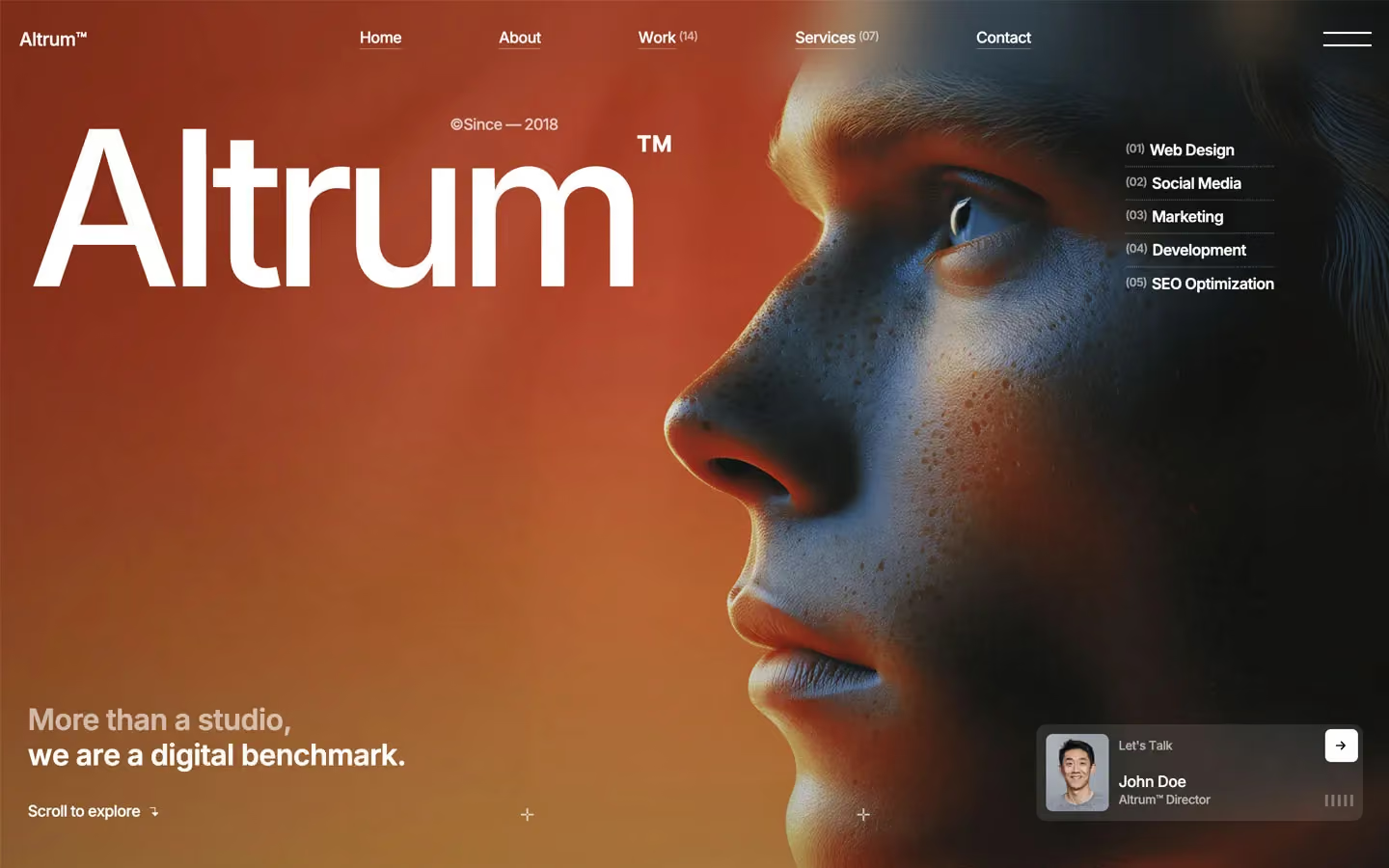
Agency design systems, the same colors first.


Bring any of them to your AI tool
All Access unlocks all 398 design systems, ready for Claude, ChatGPT, Gemini, Cursor, v0 and Lovable, plus 400+ templates on all 5 platforms.
Get All AccessUpgrade to All AccessHow to use the Mavon design system
Pick a file to see what it’s for and where it goes.
What it is
The whole design system in one markdown file, written for AI: every color, type style, spacing value, component and motion rule, plus do's, don'ts and a ready prompt.
Best for
Claude, ChatGPT, Gemini, Cursor and v0, or any other AI tool that builds pages or code.
How to use it
- Put
DESIGN.mdin your project and mention it in your request, or save it as.cursor/rules/mavon.mdc - For the rule file, start it with a front-matter block that sets
alwaysApply: true, so every chat uses it - Ask: “Build a pricing page using DESIGN.md.” Cursor follows the colors, fonts, spacing and rules
- Put
DESIGN.mdin the project root - Add one line to
CLAUDE.md: “Follow DESIGN.md for all UI.” - Ask for any page or component; Claude reads the file first
- Attach
DESIGN.mdto the chat (or paste it in) - Ask: “Build a landing page in this design system.”
- Keep the file in the chat or project knowledge, so follow-up pages stay on style
What it is
Every token as data, in the W3C Design Tokens format: colors with their roles, type styles, radius, spacing, and component tokens that point at them.
Best for
Figma (Tokens Studio), Style Dictionary and other design-token tools, and build scripts.
How to use it
- In Figma, open Tokens Studio, choose Import, and pick
tokens.json - Or point Style Dictionary’s
sourceat it to generate tokens for any platform - In code, import it like any JSON file
What it is
A Tailwind CSS v4 theme: every color, font, type style, radius and spacing value becomes a Tailwind utility, like bg-canvas, text-headline-lg or rounded-md.
Best for
Tailwind v4 projects, and AI builders that write Tailwind (v0, Lovable, Bolt).
How to use it
- Save
theme.cssnext to your main CSS file - Import it after Tailwind:
@import "tailwindcss"; @import "./theme.css"; - Use the classes:
bg-canvas text-ink rounded-md p-lg
What it is
The same tokens as plain CSS variables on :root. Component values point at the color variables, so changing one color updates everything that uses it.
Best for
Any website: plain CSS, Webflow custom code, Framer, WordPress.
How to use it
- Add it to your stylesheet, or in Webflow paste it into Site settings → Custom code inside a
<style>tag - Use the variables anywhere:
color: var(--color-ink) - Change a token once and every place that uses it follows