Discover the best portfolio website templates for designers in 2026, with standout Webflow and Framer picks plus practical tips for choosing the right one.
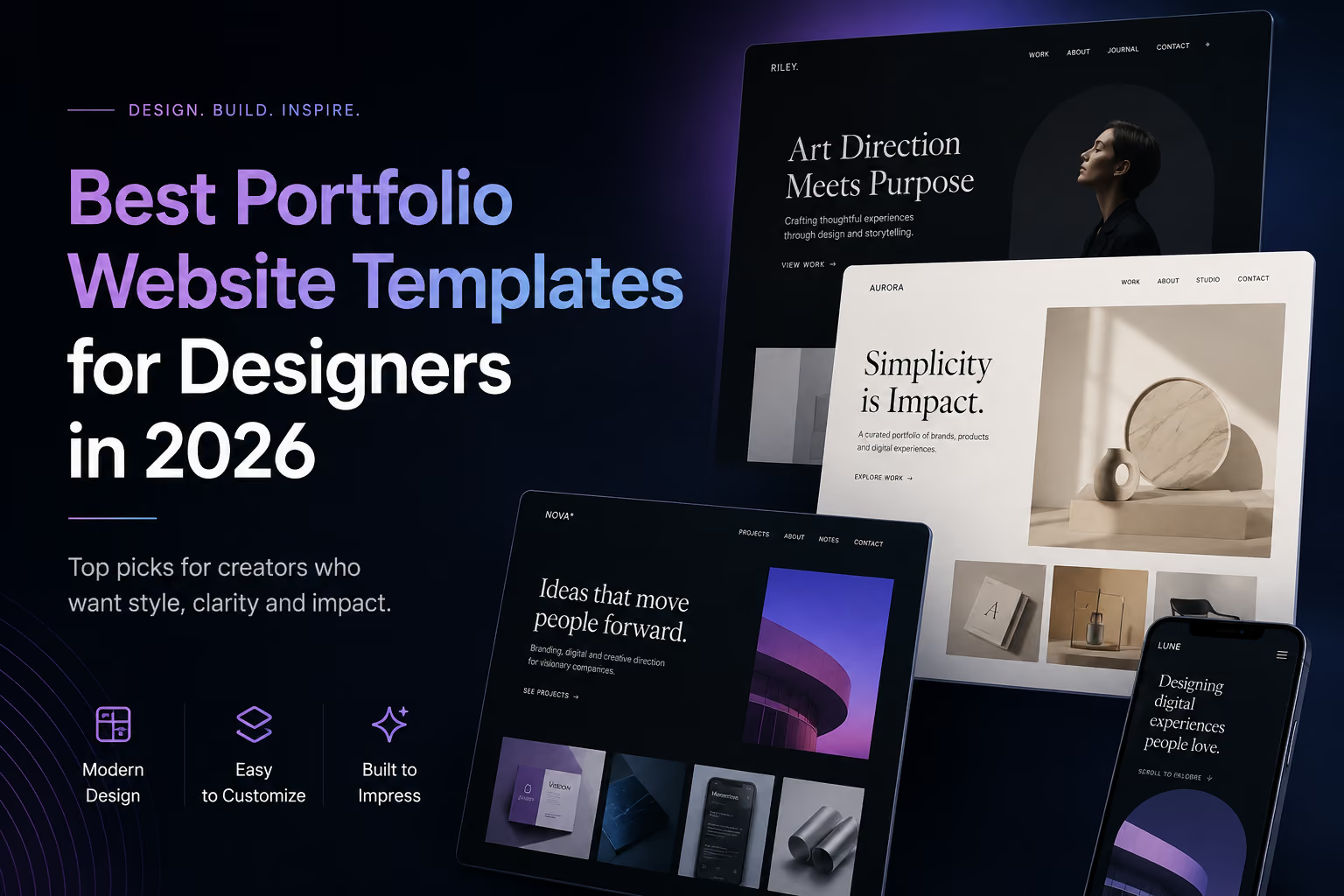
A designer portfolio has to do more than look impressive. It needs to make strong work easy to understand, give each project enough context, communicate your role and point of view, and turn the right visitors into conversations.
That makes choosing a portfolio website template less about finding the most dramatic hero section and more about finding a structure that fits the way you actually present work. In 2026, both Webflow and Framer offer excellent portfolio templates, from restrained editorial systems to expressive, motion-led experiences.
We reviewed portfolio structures across both marketplaces and selected eight useful examples for different types of designers. The list mixes Flowmance templates with work from independent creators on Webflow and Framer, so you can compare approaches rather than simply choosing from one library.
The best portfolio templates create a clear hierarchy between your identity, selected work, case-study detail and contact path. Before buying or remixing one, look beyond the homepage and inspect how the full system handles real content.
A thumbnail grid can attract attention, but clients and hiring teams often need more. Good project pages leave room for the brief, your contribution, process, visuals, decisions and outcomes. If every project is forced into the same shallow image gallery, the template may become limiting quickly.
If you expect to add projects regularly, a CMS-driven portfolio saves substantial maintenance time. You should be able to publish a new project once and have it appear consistently across work grids, featured sections and related-project areas.
Portfolio typography should establish personality without competing with the projects. Large display type can be effective, but body copy, captions and case-study explanations still need to be comfortable to read.
Interactions can make a designer portfolio memorable, particularly for digital designers and creative developers. The best templates use motion to improve transitions, reveal hierarchy or create a recognizable rhythm rather than adding animation to every object.
A beautiful portfolio that makes it difficult to start a conversation is unfinished. Check whether the template gives you natural places for availability, services, email, inquiry forms or a direct call to action.
Mason Doe is a strong option for designers who want a refined portfolio without giving up visual impact. Its structure is built around clarity, project presentation and a contemporary creative direction rather than a conventional business-site layout.
One practical advantage is platform choice: the design is available for both Webflow and Framer, with a Figma version as well. That makes it useful for designers who like the visual system but have not yet committed to a publishing workflow.
Best for: product designers, digital designers, art directors and independent creatives who want a polished portfolio with room to customize the identity.
Fabel is a free Framer portfolio template by Mridul Joshi, published in June 2026 and updated in August. It is designed for designers and creative studios and combines spacious typography with project and case-study presentation, services, experience, testimonials and pricing.
That broader structure is useful for freelancers because a portfolio often needs to sell more than taste. Fabel gives the work visual priority while still providing space to explain what you offer and why a potential client should hire you. It is also built with native Framer components and responsive layouts, which makes it an approachable starting point for designers already comfortable in Framer.
Best for: UI/UX designers, product designers, branding designers, freelancers and small studios looking for a free Framer starting point.
Static by Robin Granqvist takes a more restrained route. The Webflow Marketplace template uses a minimal, typography-driven direction, with CMS-powered project pages, a responsive grid, reusable components and a comprehensive style guide.
Its strength is that the system does not try to become the main attraction. For visual designers with strong project imagery, that restraint can be valuable. The work gets room to breathe, while the underlying project structure remains organized enough for a portfolio that will keep growing.
Best for: graphic designers, visual designers and creative directors who prefer a clean editorial framework over heavy visual effects.
JulianVoss is a more interaction-led portfolio direction. It is designed for creators who want precision and strong visual impact, with an emphasis on presenting projects as a crafted digital experience rather than a basic sequence of cards.
This type of template works best when the site itself is part of the portfolio. A web designer, digital art director or creative developer can use the transitions, composition and large-scale project presentation as an extension of the work being shown. It is also available in additional design and development formats, which can be useful if the project needs to move beyond a single builder.
Best for: web designers, creative developers, digital art directors and designers whose portfolio experience should demonstrate interaction craft.
Taped by Roman Koby was published in August 2026 and takes a deliberately playful approach. Its art direction is inspired by desks, pinned references, sticky notes and handwritten ideas, turning the portfolio into a creative board rather than a neutral gallery.
The important part is that the concept still supports a clear visitor journey. The template moves from an introduction into selected projects, information about the designer, services, FAQs and contact. That balance makes it a useful reference for designers who want personality without sacrificing basic usability.
Best for: graphic designers, creative directors, illustrators and small studios whose personal visual language is a major selling point.
Max Bennet is built around clarity, impact and craft. It works well for designers who want a sophisticated personal site that feels contemporary but remains easy to adapt around their own projects, typography and visual identity.
Because versions are available for Webflow, Framer and Figma, Max Bennet is particularly useful when the design direction matters more than the implementation platform. A designer can start from the same visual foundation and select the workflow that best matches how the site will be maintained.
Best for: multidisciplinary designers, freelancers and creative professionals who want a premium but adaptable personal portfolio.
Designfolio by Nikolai Bain is a practical Webflow option for designers who want a more complete content structure. It includes CMS-driven projects and blog content alongside About, Contact and supporting utility pages.
The simple grid system and globally editable styles make it less dependent on a single demo aesthetic. That matters if you plan to replace the palette, typography and imagery heavily. It is also useful for designers who want to publish writing or process content alongside project work instead of keeping the site strictly portfolio-only.
Best for: brand designers, illustrators, web designers and freelancers who want projects, writing and personal positioning in one site.
Lioré is a free Webflow portfolio option aimed at creators who want the work to carry most of the visual weight. Its clean presentation makes it a useful starting point if you would rather invest time in project imagery and case-study writing than build a complex visual system from scratch.
A free template can also be a smart choice for students and early-career designers. The key is to customize it enough that the finished portfolio reflects your own identity: change the type system, project order, copy, color decisions and imagery rather than publishing the demo with minor edits.
Best for: students, emerging designers, freelancers and anyone who wants a lower-cost Webflow starting point.
Both platforms can produce excellent portfolios, and the decision should usually follow your content and editing workflow rather than a generic platform ranking.
Webflow is a strong fit when your portfolio will become a larger site with a substantial project CMS, articles, multiple service pages or more detailed control over responsive layouts. It is also a practical option for designers who think in HTML/CSS-style layout concepts and want granular control without manually coding the whole site.
Framer is especially appealing when you want to design and publish in one fluid canvas. It is well suited to personal portfolios, creative studios and highly visual sites where designers expect to iterate on composition and motion frequently.
If a template is available in both formats, base the choice on how you will update the site six months from now. A slightly faster launch is less valuable if the ongoing workflow does not match how you work.
Prioritize case-study depth. You need room for the problem, constraints, research, process, iterations and outcomes. A visually impressive homepage cannot compensate for project pages that make your thinking difficult to understand.
Look for flexible image layouts, strong typography and enough variation between projects. Brand work often includes many formats, so a rigid case-study system can become repetitive.
The site itself can demonstrate your craft. Motion, transitions and interaction quality matter more here, but they should remain fast and usable on mobile. Treat every interaction as part of the portfolio rather than decoration.
Make sure the template supports commercial information as well as work: services, testimonials, availability, a concise process and a direct contact action can help turn portfolio traffic into qualified inquiries.
The fastest way to make a template look generic is to preserve its demo content structure too closely. A better approach is to keep the strong underlying system and replace the creative decisions that visitors actually notice.
The goal is not to disguise the fact that you started from a template. The goal is to use the template as infrastructure while making the portfolio unmistakably yours.
Choose the template that best matches your work, not the one with the most effects. For a clean editorial portfolio, Static and Designfolio are strong references. For a more expressive Framer direction, Taped gives you a clear concept, while Fabel offers a versatile free structure. Within Flowmance, Mason Doe and Max Bennet are strong multi-platform options, JulianVoss suits interaction-led portfolios, and Lioré provides a simple free Webflow starting point.
Before committing, open the live preview, inspect at least one full project page, test the navigation on mobile and imagine replacing every demo asset with your actual work. If the structure still makes sense, you have probably found a good foundation.
Browse the Flowmance template library to compare portfolio, agency, studio and creative website designs across available platforms. Start with a structure that suits your work, customize the visual identity, and spend the time you save on the part clients actually hire you for: the quality of the projects and the thinking behind them.











Don’t miss out on our superb, customizable templates designed to enhance your web design experience. We constantly add new templates and components.

Explore stunning Webflow, Framer, HTML5, Next.js and Figma templates designed to spark your next big idea.


*Rest assured that your data is safe with us, and you'll only hear from us 1 time per month.
